Use the Device Firmware Updater on the Spotted Ghosts website to install the latest firmware from your computer. This is also an alternative if the update over Wi‑Fi fails.
Before you start
- Open the website in Google Chrome or Microsoft Edge on a computer. The USB installer isn’t available in other browsers.
- Use a USB data cable. A charge-only cable won’t let the browser see your device.
- Close Arduino Serial Monitor or any other software that might be using the device’s USB port.
Install the update
- Sign in to the Spotted Ghosts website and open My Account → Device Firmware Updater.
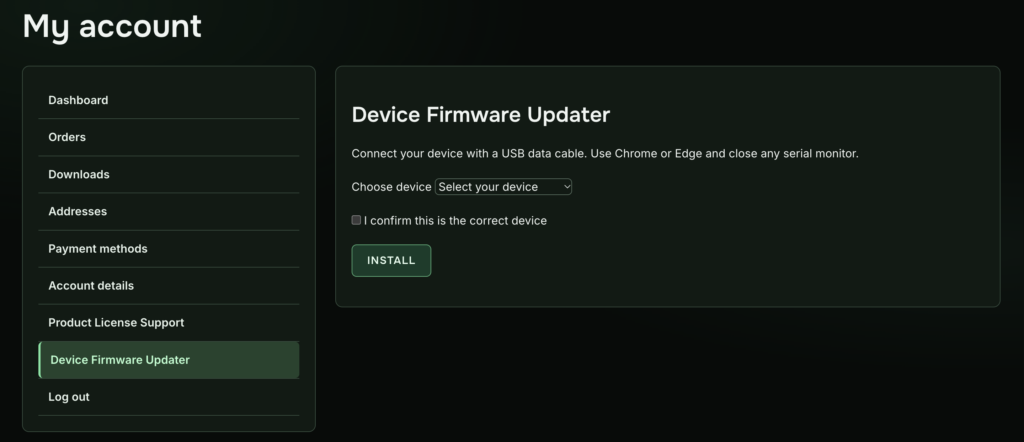
- Connect your device to the computer. If you have a WaveTracer, Spirit Music Box, Spirit Bell or Environ, hold the reset button on the bottom until the green light comes on, then release it. The light goes out when the device enters download mode. CoreS3 Lite download mode
- Under Choose device, select your exact model. The dropdown shows the latest firmware available for it.
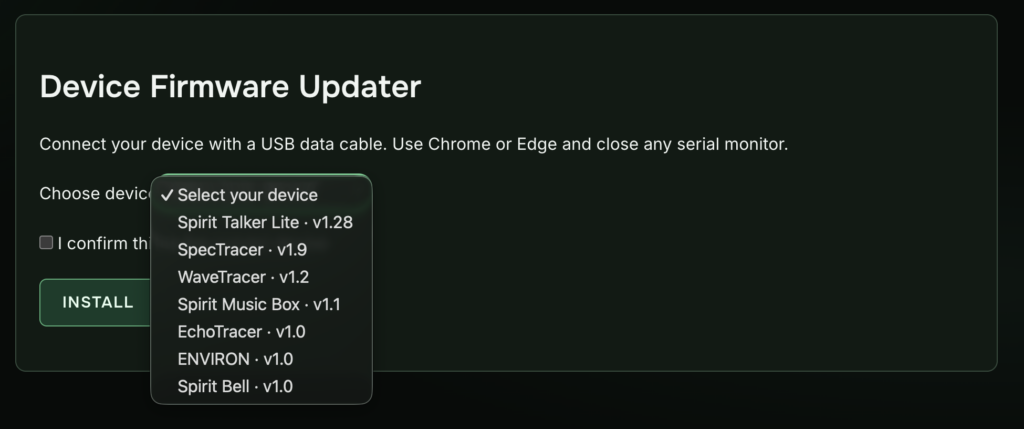
- Tick I confirm this is the correct device, then click INSTALL.
- When your browser asks, select the serial port for your device and click Connect.
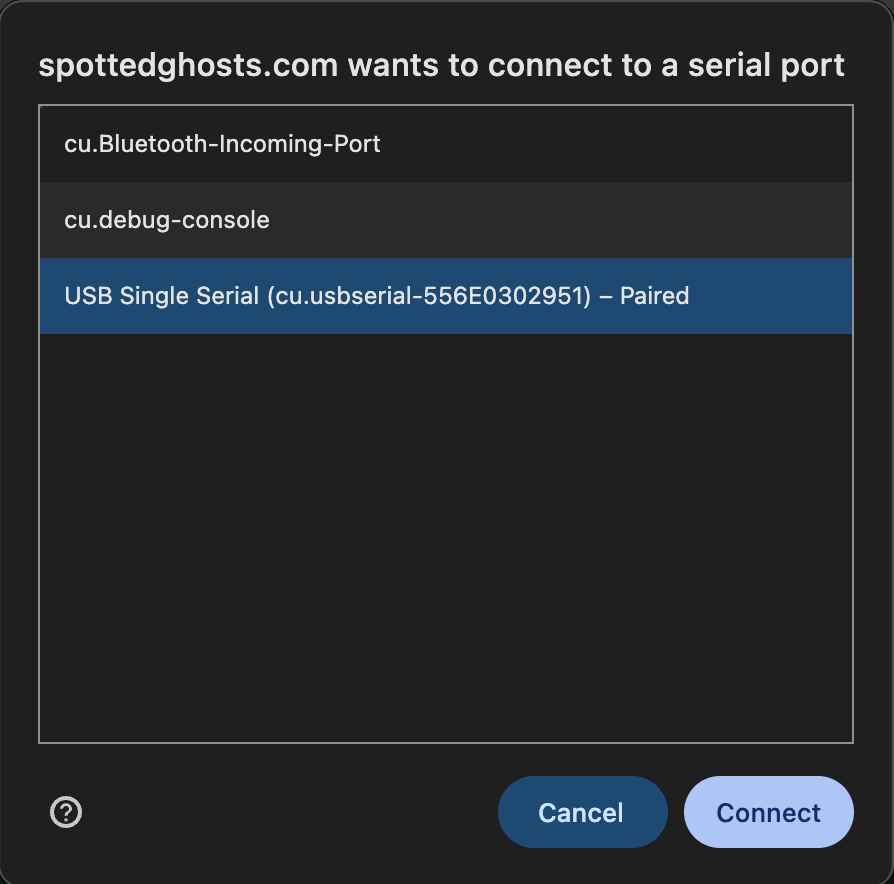
- Keep the USB cable connected and the browser tab open while the progress bar is visible. After the firmware is verified, the installer returns to its starting screen.
Once the device restarts, check the firmware version on the device if your model displays it. If it hasn’t restarted after the installer finishes, briefly press the bottom reset button on a WaveTracer, Spirit Music Box, Spirit Bell or Environ, or unplug the USB cable and turn your Device off and back on.
If you get stuck
- INSTALL is greyed out: Open the page in desktop Chrome or Edge and make sure the address starts with
https://. - Your device doesn’t appear in the port list: Try a different USB data cable or USB port. For WaveTracer, Spirit Music Box, Spirit Bell and Environ, repeat the download-mode step before clicking INSTALL.
- The installer says the chip or flash layout doesn’t match: Double-check the selected model. If it’s correct, contact us with your device name and the exact error message.
Previous Post
Spirit Music Box
Contents Get to know Spirit Music Box Setting up the tripod and attachments Power, reset ... Read more